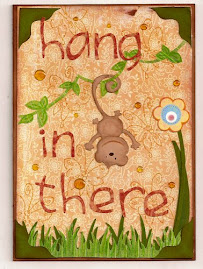
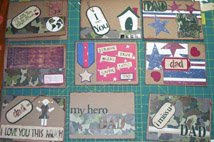
Handmade cards, the reason why I created this blog ... I love making and sharing my cards .... I love being creative ... and cards are my favoriet thing to make... I just love it! ... Please visit often ... I usually post at least 3 cards a week (except during the holidays). I love it too when you leave comments or sign my guest book ... Please feel free to scraplift any of my creations ... but be polite enough not to submit them for publication or profit.
Thank you for looking!
Jeannie Phillips

Southside, Al

Monday, November 30, 2009

Snowman Wreath - my The Gypsy Spot Design Team Challenge Card

Designed by Jeannie Phillips - Southside, AL
Click on any picture to enlarge.
OH OH OH... : Custom Crops donated a Gypsy!!..Yes a Gypsy to The Gypsy Spot... be sure a go to The Gypsy Spot and find out how to enter to win!! Its being given away Tuesday December 1st!!... this is my The Gypsy Spot DT Challenge card for this week... and it was so so so so inspired by Donna Mundinger... so be sure and check out the card that inspired me by clicking here!!... I didn't however use her cut file...I am a bit stubborn that way...I wanted to make one all on my own... and I don't have Design Studio .... when I saw Donna's card I got out my Gypsy and went to work... and this is how my card ended up...and it was just perfect for The Gypsy Spot for this week!!!... I needed a snowman or snowflakes... be sure and check out The Gypsy Spot for the other wonderful cards that the very talented DT members have created!! Thank you so much for looking! Hugs, Jeannie
CRICUT & GYPSY
Joys of the Season
Snowfriends
George
I have the instructions below on the mat so that they will be eaiser to understand.
You can click on any picture to enlarge so if you need the text bigger in the instructions just click on the picture.
I did not include Cricut sizes this time because of all the welding.
Please let me know which way you like the instructions better.

Friday, November 27, 2009

Bouncing Baby Tiger

Designed by Jeannie Phillips - Southside, AL
Click on any picture to enlarge.
I made an Alabama Baby card the other day and since I have one child that graduated from Alabama and one child at Auburn it was only fair to create an Auburn card to match... I had lots of fun making both cards... the Alabama card is just a couple of post down so be sure and visit it too if you haven't already... I hope you like!!.. thank you so much for looking! Hugs, Jeannie
CRICUT & GYPSY
Pooh & Friends
Accent Essentials
Opposites Attract
Street Signs
New Arrival
George
Instructions below with the screen shot... you can enlarge it by clicking on the picture.
I think this will make the instructions clearer.. let me know which way you like them best so I know how you want me to post the instructions.All items in red are welded together.
Click on the picture to enlarge and you can read the instructions much better.
You can e-mail me at winacard@gmail.com if you have any questions.

Win a Gypsy!!

Yes you can registure to WIN a Gypsy!! Go check out The Gypsy Spot!! and find out how to win!!

Tuesday, November 24, 2009

Bama Baby

Designed by Jeannie Phillips - Southside, AL
Click on any picture to enlarge.
Alabama football is huge in Alabama..... my Daughter Madison graduated from Alabama... my son is at its rival Auburn... anyway its huge and the elephant is the school mascot.... and the cheer is Roll Tide... every time I see this elephant on New Arrival I want to make an Alabama baby card... every time... its a perfect baby card to give to a man that just had a baby... that is if he is an Alabama fan... now I need to figure out how to make a cut Auburn Baby, baby card... hope you like...thanks so much for looking! Hugs, Jeannie
CRICUT & GYPSY
New Arrival
Elephant's cut @ w 3.60 x h 2.98 - on the Cricut I would cut this @ 3 inches.
You can set the height at 2.98 in all 3 parts of the elephant and the height will be right.
Baby Rattles cut @ w 0.66 x h 1.22 -on the Cricut I would cut this @ 1.25
I cut 3 of these...cut the handle off of one and popped the rattle part on the complete rattle which I adhered directly to the card... on rattle I cut in black and trimmed down to the center of the rattle to make the black trim on the rattle.
Accent Essentials
Scalloped edges cut @ w 5. 0 x h 0.53 on read dial size - on the Cricut I would cut this @ 1 inch.. but am not sure at all what the length would be.
These I welded to the George Square.
George
Square cut @ w 5.0 x h 3.25 on real dial size - if using the Cricut I would cut this with my paper trimmer.
Opposites Attract
"Baby" cut @ h 1.39 the width will be right on all the letters if you set just the height -on the Cricut I would cut these @ 1 1/2 inches.
I welded these letter together.
Street Signs
"BAMA" cut @ h 1.43 the width will be right on all the letters if you set the height - on the Cricut I would cut these letters at 1 1/2 inches.
I welded these letter together.These are the cuts on my mat I moved the rattle by the Bama's down next to Baby because I decided to cut this cut in black... all images in red are welded.

It's Been Forever

Designed by Jeannie Phillips - Southside, AL
Click on any picture to enlarge.
I have been looking at this cut (the swirly thing on the bottom of the shelf) thinking that this would be a beautiful shelf!!... so I flipped it and welded a rectangle to it... and made myself a shelf... but I couldn't thing what in the world I wanted to put on this shelf.... and while I was going through my cuts I came across this beautiful corner... that I have never been able to incorporate into any of my card before and this idea just came to me... it so reminded me of an old house with the phone in the hall on a shelf... with a chair sitting by it... so so sad that I am old enough to remember seeing such as this!!! lol... and this is the card I ended up with... I was quite tickled with the end result...and it was such an easy card... what an extra!!.. hope everyone is having such a wonderful day! ... Hugs, Jeannie
CRICUT & GYPSY
Stamping
Swirls for bottom of shelf cut @ w 3.65 x h 1.29 - on the Cricut I would cut this at 1 1/4 inches.
George
Rectangle for top of shelf is a square cut @ w 3.75 x h 0.30 on real dial size I cut this 3 times one of the rectangles is welded to the swirls to make the shelf and popped the the second from the shelf and the third one from the second- if I was using the Cricut I would cut this with a paper trimmer at w 3 3/4 x h 1/4 of an inch.
Sweethearts
Corner Filigree cut @w 2.82 x h 2.71 - on the Cricut I would cut this @ 2 3/4 inches.
From My Kitchen
Phone cut @ w 2.70 x h 1.79 I cut this twice so I could pop the top phone..from the top phone I cut the handset and the cord and used on the inside of the card - on the Cricut I would cut the phone @ 1 3/4 or 2 inches.
I also cut the layer feature of the phone to get the center tan oval of the phone.
The easiest way to get this the right size is to click on the phone and then pick your layer feature then they will be the right size. This is my mat before I cut... I moved the images that were to be black close together before I cut... the images in red are welded together.

Sunday, November 22, 2009

Vase of Joy

Designed by Jeannie Phillips - Southside, AL
Click on any picture to enlarge.
I was going through my cartridges on my Gypsy and found this JOY with a flower on it.... and just loved the joy...but didn't want the flower so I decided to weld the vase to the joy over the top of the flower... and then the rest of the card just evolved from that... the Shadow Joy and Vase is cut in a green/snowflake print... the Joy and Vase without the shadow cut in red and then just the vase is cut in beige...in the red cut the circle of the flower still cuts out.... it just didn't weld right there...but it was going to be covered by the beige vase so it didn't matter... welding is shown in the screen shot at the bottom of the page... all red items are welded.... thank you so much for looking... Hugs, Jeannie
CRICUT & GYPSY
Gypsy Wanderings
Joy cut @ w 3.51 x h 3.37 - On the Cricut I would cut his at 3 1/2 inches.
Joy Shadow cut @ w 3.70 x h 3.37 - on the Cricut I would cut this @ 3 1.2 inches.
Walk In My Garden
Vase and vase shadows cut @ h 2.93..when you set the height the width will be right - on the Cricut I would cut these @ 3 inches.
Joys of the Season
Poinsettias cut @ w 1.81 x h 1.85 - on the Cricut I would cut these at 1 3/4 inches.
Stretch Your Imagination
Flourish in Square cut @ w 1.71 x h 1.64 I used the square on the inside of the card with a red square behind it and the flourish in the vase - on the Cricut I would cut this @ 1. 3/4 inches.
Storybook
Flourish cut @ w 2.75 x h 0.59 - on the Cricut I would cut this at 3/4 inch because I stretched it on my Gypsy.
Flourish (second florish on second row on mat shot) cut @ w 1.93 x h 1.86 - on the Cricut I would cut this @ 3/4 inch.
*I guess at the Cricut sizes based on the height sizes of my Gypsy cuts... these are the sizes I would have tired first when not using my Gypsy.

Thanks in Red, Black & White

Designed by Jeannie Phillips - Southside, AL
Click on any picture to enlarge.
I wanted to make a card today...and had no starting place at all!!!... so I decided to use a pick a design that I felt I would probably never use and see what I could come up with... that is how this card evolved... the emblem in the black circle is what I started with... and then I just went from there... I wish that I had embossed the white piece with the Swiss dots folder but thought of that only after it was too late to do it... silly me!! I hope you like my odd little thank you card.
Hugs, Jeannie

CRICUT & GYPSY
Home Accents
Emblem in the black circle cut @ w 1.92 x h 1.84 - on the Cricut I would cut this at 2 inches.
When It's Cold Outside
Snowflake cut @ w 1.82 x h 2.o - on the Cricut I would cut this at 2 inches.
Gypsy Wanderings
Thanks cut @ w 2.63 x h 1.63 - on the Cricut I would cut this @ 1 3/4 inches.
Shadow thanks cut @ w 2.78 x h 1.63 - on the Cricut I would cut this at 1 3/2 inches.
George
Circles cut @ w 2.26 x h 2.11 - on the Cricut I would cut these @ 2 1/4 inches.
Rectangle under the thanks cut @ w 4.99 x h o.88 - using the Cricut I would cut this piece on a paper trimmer.
Rectangle with the scalloped edge cut @ w 3.0 x h 5.0 - using the Cricut I would cut this piece on a paper trimmer.
Home Accents (again)
Scalloped pieces cut @ w 2.61 x h 0.74 there are two of these on each rectangle - my best guess on these on the Cricut would be 3/4 and inch.

Saturday, November 21, 2009

Christmas With the Cricut - Crafty Gift

At our house we like Christmas to last forever... a tradition started by my Grandmother... and one we all embraced on my mom's side of the family!!... my husband seems to like it too... but we all get each other several gifts... one regular gift then several small gifts...so each person has lots to open..then we each take a turn opening gifts one at a time until all the gifts are gone... saving the biggest gifts for last... so when I was to make a crafty gift I thought of this as a wonderful treat for one of the small gifts... I hope that you like it!!!... I have loved loved my stint as guest designer at Christmas With the Cricut and feel so honored to be included in that with somebody as talented as Susan!! ... Be sure and hop over to Christmas With the Cricut and see the other wonderful crafty gifts!!... and go from there to Susan's blog and leave her a comment too! Hugs! Jeannie

CRICUT
From My Kitchen
Rooster cut @ 1 3/4 inches.
I cut him once in brown and once in red for each square...cut away the red parts I needed and added them to the brown rooster cut.
Click on picture below to get the other instructions, they were much clearer instructions if I put them in the picture.

Friday, November 20, 2009

Christmas With the Cricut - Advanced Card

I have been waiting all week to post this card... its been finished like 2 months...and it just kills me not to get to post something!!...lol... to make this card you start with my Simple Card Monday - Card... just click here to see that card and its instructions! ...and finish off with the instructions below... I forgot to get a picture of my new cuts...so please forgive... I did try to make really good instructions!! I hope you like it!!! ... I had a blast turning my Simple Card Monday card into an Advanced card... be sure and Check out Christmas With the Cricut!!! and visit Susan's blog from there and comment on her card... She had done such beautiful work this week! Hugs, Jeannie

Advanced Card
Winter Woodland Cartridge
I started with the finished simple card from Monday’s card.
Then I cut a second tree @ 5 ½ inches... and 4 more snow layers at 5 ½ inches.
I cut 3 more birds ...on the flipped feature.
I cut several more snowflakes...of each kind.
I cut the snowman @ 2 3/4 inches... 2 times in white and 2 times in red on the shift feature and once in yellow on the layer feature and once in yellow on the shift-layer feature.
I trimmed three branches from my new tree...added the snow to different branches than before and bent out the limbs... popped this tree from the fist tree with pop-dots.
I then inked the ground snow layers and glued two ground snow layers together as wide as the blue background paper... I did this twice.
I attached the first new layer of snow to the popped tree base..then I added the white showman inked in blue ink to the snow base with glue and popped the top part of the snowman from the background paper.
I then popped the last layer of ground snow with pop-dots.
I assembled the second snowman... adding his inked scarf and buttons directly to him...along with one of the red hats... I used a sharpie for his eyes...and pink chalk applied with a make-up q-tip to his cheeks..then I added a dot of white gel ink to each cheek.
I added the yellow strip to the second hat...inking both the strip of yellow and the hat in brown..I popped this hat up from the first hat with pop-dots... then I glued the snowman bottom to the top snow layer and pop-dotted the top of the snowman to the snowman below.
I added the extra birds..glueing them to the popped layers only at their feet.
I used leftover branch snow on the inside of the card for the pile of snow the inside bird is laying on...and added a snowflake.
All snow parts are inked in blue ink...all other parts are inked in brown.


Thursday, November 19, 2009

Christmas With the Cricut - Scrapbook Page

I have to tell you that this Christmas With the Cricut project terrified me!!!... and I am not kidding at all!!!.. it is the one project that made me almost turn this opportunity down!!... I am not kidding one bit... my mat shot was just confusing because I used the layering of pages feature on my Gypsy... so I am just going to tell you the cut sizes... I so hope that you like my scrapbook page!!!.... just posting it now gives me a tummy ache... thank you so much for looking... be sure and check out the other projects at Christmas With the Cricut...and to visit Susan's blog when you do!...everything has been so great this week!
CRICUT & GYPSY
Winter Woodland
I love these letters.
All the letters shadows cut @ h 3.21 inches the with will be right when you set the height.
Large snowflake cut @ w 11.84 x h 13.95.Align Center
I welded the shadow letters to the large snowflake.
These were the layers on my first page.
On the second page I cut the following.
Winter Woodland
All letters cut @ h 3.21...the width will be right when you set the height.
George
Largest Square for picture cut @ w 5.81 x h 5.42.
On the third page I laid out the following.
George
Smaller square for picture cut @ w 4.57 x h 4.26.
Winter Woodland
Larger small snowflake cut @ w 4.96 x h 7.11.
Smallest snowflake cut @ w 3.20 x h 4.16
On the forth page I cut the following.
All the letter from "our" cut @ h 1.11 inches the with will be right when you set the height.
"1" cut @ w 1.13 x h 2.89
"st" cut @ h 1.21... width will be right when you set the height.

Wednesday, November 18, 2009

Snowbird

Designed by Jeannie Phillips - Southside, AL
Click on any picture to enlarge.

I don't know if I am going to get to make another card this week.. Dr appointment's 2 for mom ..one for me.... and our Thanksgiving is this weekend.... so I am going to be very busy.... and am missing making cards already... I did get my When Its Cold Outside cartridge today!!!... so I just had to make this card.....it is a card that should have been easy but then I had a dull blade...then a too sticky mat... and it just got hard!!...but when I did get the cuts to cut out I was really really happy with the results... I hope that you like it too... thank you so much for looking!
hugs, Jeannie
CRICUT & GYPSY
When It's Cold Outside
Top left snowflake is a shadow cut @ w 1.86 x h 2.05 - on the Cricut I would cut this @ 2 inches.
Bottom left snowflake cut @ w 2.43 x h 2.24 - on the Cricut I would cut this @ 2 1/4 inches.
Large snowflake is a shadow cut @ w 3.81 x h 3.51 -on the Cricut I would cut this @ 3 1/2 inches.
For the top two I added a George octagon cut @ w 1.64 x h 152 - you would not need this cut without the Gypsy.
Winter Woodland
Cut allCardinal cuts @ h 2.19..the widths will be right if you set the just the heights.
CUTTLEBUG
Snowflake Folder

Christmas With the Cricut - Christmas Gift Tags

I enjoyed doing these tags for Christmas With the Cricut... I got to make my own embossing folder...now that was fun fun fun.... Since it was my first embossing folder and a small tag I wanted to start out simple... I really like the idea of combining the cut with the embossing... hope that you like it too... be sure and check out the other designs at Christmas With the Cricut...and when you are there hop on over to Susans blog and leave her a comment about her beautiful work!!..Don't forget to leave a comment on the Christmas With the Cricut blog for a chance to win!! Hugs, Jeannie
GIFT TAGS

For my gift tags I wanted to try my new Cricut Cuttables to emboss my tags.... I was so excited when this worked out just the way I wanted it to!
1. I cut the Snowman (page 47) of the Winter Woodland cartridge...I cut him on blackout into the Cricut Cuttables sheet.
2. I cut out my tag (page 33) form the Winter Woodland cartridge once in white @ 3 inches on real dial size and once in red @ 3 1/4 inches on real dial size.
3. I cut snowman layers on the shift feature in green and on the layer feature in red all on 2 inches.
4. I embossed the white tag with the snowman Cricut Cuttables embossing folder.
5. I added the scarf, hat and heart to the snow man. I then inked the tags with brwon ink around the edges and assambled the tag and added the ribbon.

Tuesday, November 17, 2009

Christmas With the Cricut - Home Decor Project

This is my Tuesday Project for Christmas With the Cricut...I can't wait to see the other projects... especially Susan's...I know that she is really excited so be sure and check hers out... I really love doing the glass etching...its really quick... and dresses up an in-expensive item and makes it really special!... hope you like my Home Decor Project... thank you so much for looking!... Hugs, Jeannie
Etched Votive Cup
Materials
In First Picture.
2 pieces of 8 1/x x 11 white card stock
1 Zyron Machine
1 Stylus
1 votive cut bought at Hobby Lobby
In Second Picture
Etching Cream
Foam Brush
Not Pictured
Cricut
Gypsy
Winter Woodland Cartridge
I cut 4 sets of trees from the Winter Woodland Cartridge w 2 ½ x h 2 ½ inches.
I trimmed around these at ½ inches out from each side...making the square 3 inches x 3 inches (pictured).
I ran each square through my Zyron (pictured).
I used the stylus to trace around the inside of the image and the outside of the square... and then I ran the side of the stylus across the whole image several times... this was to insure that all the sticky stuck good to the paper.
I then pealed away the Zyron papers... attached to my votive cup... and added the Etching Cream (pictured).. Let that set for 5 minutes...or by the instructions of your brand of Etching Cream... rinse off well with warm water ... this will ruin the paper but not the glass... and that is ok.
Clean your glass... (better than I did).

Monday, November 16, 2009

Christmas Tags

My daughter, Madison is an accountant for International Paper... in her department they work in a group of 6... and they get each other a $10 Christmas present....so we made her some candy jars for M&M's... they love candy there!!... its like gold... we etched their Initial on the top and a leaf in the bottom corner of 2 sides...wish I had pictures... here are the tags I made for the jars... I used my Gypsy...but nothing is welded so I am just listing the sizes...along with the size I would cut on the Cricut with out my Gypsy...
CRICUT & GYPSY
Christmas Cheer
Red Tag cut @ w 2.26 x h 3.93 - on the Cricut I would cut this at 4 inches.
White Tag (on both the front and back)cut at w 2.10 x h 3.74 - on the Cricut I would cut this @ 3 3/4 inches.
Reindeer cut @ 2 2.57 x h 1.40 - on the Cricut I would cut this @ 1 1/2 inches.
"to:" cut @ w 0.95 x h 0.75 - on the Cricut I would cut this @ 3/4 inch.
"from:" cut @ w 1.60 x h 0.67 - on the Cricut I would cut this @ 1/2 inch.
Base Camp
Strip is a square cut @ w 1.85 x h 0.18 - without the Gypsy I would use my paper trimmer for this.
I used a hair pick to make the bow... love these bows.
Designed by Jeannie Phillips - Southside, AL
Click on any picture to enlarge.
This is my The-Gypsy Spot Design Team challenge card this week... My aunt and uncle are having their 50th wedding anniversary in December and my dad asked me to make them a card from him (a first)... they went to Etowah High School... got married the year my aunt graduated... the school colors are Blue and Gold... this is my first welded shape card... it needs something but for my first try I am really really excited at how it turned out...maybe my next one will be even better...I am trying to get as good as Donna M!!!...but that will probably never happen.... be sure and out the other Design Team members at The-Gypsy Spot! Hugs, Jeannie
CRICUT & GYPSY
Because of welding I didn't include the Cricut instructions.
Base Camp
1959 shadow Cut @ h 3.0 inches... width will be right if you just set the h at 3.o inches.
1959 regular numbers cut @ h 3.o inches width will be right if you just set the heigth.
George
Heart cut @ w 2.89 x h 2.60
Tiny Square for car tag cut @ w 0.48 x h 0.30.
Used a hand punch for the tiny heart.
Heart Shadows cut @ w 2.88 x h 2.16.
Rounded Square inside the card to hold the sentiment cut @ w 4.68 x h 2.33.
I welded this to the part of the card that is the back to make a place to put a piece of white paper for the sentiment....for now the circle still cut out of the center of the 9's I just popped them back in and put lots of adhesive on the back of my white piece.
Sweethearts
Car cut @ w 2.14 x h 1.88.
Car Shadow cut @ w 2.88 x h 2.16.
I built the shadow of the 1959 with the heart and car shadows and welded them and grouped them together then I duplicated the grouped items...and flipped them up.. since they were welded shapes already when you put them in place they will be welded.
I forgot to save the Judy & Paul it was cut with Alphalicious but I am not sure what size... see why its important to save your changes when you make them!...lol

Christmas With the Cricut - Simple Card

I was lucky enough to get picked to do a week of designs over at Christmas With the Cricut I was just blown away.... the first day we do a simple card... a beginner typ card... and later in the week we do a more advanced card...what I chose to do was to start with the simple card...and show you later in the week how to layer this card up and make it more interesting... so check back each day with me and with Christmas With the Cricut and see what all is going on... and you must see Susan's beautiful work too!!.. Hugs, Jeannie

Simple Card
I used only the Winter Woodland Cartridge on this card.
First I cut out all the pieces as follows
Tree cut @ 5 ½ inches including the snow layers.
Bird cut @ 1 ½ inches... all of the layer cuts cut too.
Snowflakes cut @ 3 inches... 1 of each kind.
There is a picture of these cuts.
Second I inked all my pieces.
The snowflakes in blue.
All other cuts, including the card base the inside white framed piece in brown ink.
I use wedgies make-up sponges to apply my ink.
Third I assembled the card.
These are the pieced I cut out for my card.


Sunday, November 15, 2009

A Bright and Cheerful Happy Birthday in layers.

Designed by Jeannie Phillips - Southside, AL
Click on any picture to enlarge.
Two of the ladies from my card class need a Happy Birthday card for their husbands...this is what I made for that... hope that they like it.... it had great layers...I was really happy with how the black background for the shape made the card pop so... it worked good with the bright colors.
Hope everyone has had a great weekend... I have!!... Hugs, Jeannie
CRICUT & GYPSY
Since I did so much welding there are no Cricut instructions for this card.
Base Camp
"Happy Birthday" Shadow sizes on the letters with only the height given the width will be right when you set the height...
H - w 1.46 x h 2.31, B w 1.45 x h 2.10
All other letters h 1.26
"Happy Birthday" regular letters... sizes on the letter with only the height given the width will be right when you set the height.
H - w 1.32 x h 2.16, B - w 1.31 x h 2.19
All other letter h 1.26
Asterisk shadow and regular cut cut @ h 1.32.
Doodle Charms
Cupcake and its layer cut @ h 2.26
Cupcake Shadow cut @ h 2.37
Because I wanted the candles cut in another color I used a George rectangle to make new candle and A Child's Year for a teardrop to make a new flame.
George
Rectangle cut @ w 0.22 x h 0.62
A Child's Year
Teardrop cut @ 0.21 x h 0.38
I welded the Happy Birthday shadow together except for the H along with one of the cupcake shadows and cut duplicated that ...the first layer I attached to the background paper the second one I popped from the first one... I cut 2 H shadow shapes...and popped each from the other.....you need two extra cupcake shadows to pop one from the second welded shadow piece and the next one on top of that.... I popped on shadow asterix from the welded letters and then added the white Astrix pieced... I glued the whole cupcake piece to the top cupcake shadow with the candle trimmed off... I glued one icing piece directly on top of that...and then I embossed and popped the top icing piece on top of that... the candle and flame are glued directly to the top shadow piece of cupcake....I hope that these instructions are clearer than mud!
Hugs
Jeannie

Thursday, November 12, 2009

The Snowflake

Designed by Jeannie Phillips - Southside, AL
Click on any picture to enlarge.
Donna has just got me going...between her and the card I made for The-Gypsy Spot for Monday I have a new kind of card addiction!!!!... and I am having a blast... I saved my first one for Monday since we are learning together at The-Gypsy Spot that seemed only fair.... I hope that you like this card...I had fun making it... still learning this shape/layer thing... so there are some mistakes... but getting better!... Hope you like it... let me know what you think.... Hugs, Jeannie
CRICUT & GYPSY
Gypsy Wanderings
Large snowflakes and shadows cut @ h 4.47 the with will follow the height so just set the height.
Small snowflakes and their shadows cut @ h 2.47 the width will follow the height.
Winter Woodland
Snowman and his shadows cut @ h 4.30 the width will follow the height.
Alphalicious
HI and its shadow cut @ h 1.53 the width will follow.
Each screen shot is a separate file that I saved.
Everything in red is welded.
If you have any questions I will be glad to answer them.

Winter Word Card!!

Designed by Jeannie Phillips - Southside, Al
Click on any picture to enlarge!
This card was so inspired by Donna Mundinger!!...thank you Donna... I want to tell you Donna is brilliant...I knew that but after making this card I must tell you she is even more brilliant than you even know... this card could use more bling but I was just too exhausted to keep going!!!... I made a word card for The Gypsy Spot for this coming Monday... this one is an improvement!!... you will have to wait to see that one!!!... but I may never ever do another one ever!! ... so when Donna does one be sure and give her extra hugs!!... and ooohhhh and ahhhhh lots and lots and lots!!!!... the instructions are at the bottom of the post on the mat shots... to easier explain!!!... click on the picture to see a larger picture!... hugs everybody! Jeannie

Tuesday, November 10, 2009

Merry Christmas Deer

Designed by Jeannie Phillips - Southside, AL
Click on any picture to enlarge.
I am so excited about how this card turned out... I bought some new scrapbook paper this weekend in Memphis... and was inspired by it to make this card... I hope that you like it... thank you so so much for looking! Hugs, Jeannie
CRICUT & GYPSY
Winter Woodland
Deer cut @ w 3.19 x h 0.42 -- on the Cricut I would cut this deer @ 2 1/2 inches.
Inside Deer cut @ w 2.38 x h 1.84 -- On the Cricut I would cut this @ 1 3/4 inches.
Top left snowflake cut @ w 2.89 x h 2.56 -- On the Cricut I would cut this @ 2 1/2 inches.
Plain snowflakes cut @ w 2.26 x h 2.48 -- On the Cricut I would cut this @ 2 1/2 inches.
Snowflake on the right cut @ w 2.95 x h 2 .59 -- on the Cricut I would cut this @ 2 1/2 inch.
George
Larger book plate is an octagon cut @ w 3.02 x h 1.53 -- You would have to substitute this cut on the Cricut.
Smaller book plate is an octagon 2 w 2.60 x h 1.32 -- you would have to substitute this cut on the Cricut.
This is a screen shot of my mat...I did move the larger book plate over to the left of the mat before placing all the paper colors and cutting.

Monday, November 9, 2009

Family

5 card kits available for this card on Etsy
I made this card for The Gypsy Spot... we were suppose to use Gypsy Wanderings and weld an item... this is what I ended up with and was so excited when I finished!!... I really like the look and it would make a wonderful scrapbook page... please be sure and visit The Gypsy Spot and see what the other Design Team members created...they do just beautiful work!! I did try to include Cricut Instructions please remember these are just a guess. Hugs, Jeannie
CRICUT & GYPSY
Gypsy Wandering
"Family" cut @ w3.97 x h 2.17 .. on the Cricut I would cut this at 2 1.4 inches.
Family Shadow cut @ w 4.12 x h 2.17... on the Cricut I would cut it as 2 1/4 inches.
George
Oval cut @ w 2.78 x h 3.76... on the Cricut I would cut this at 3 3/4 inches.
I welded these two items together and laid it out to cut twice.
I pop-dotted the top piece.
Gypsy Wanderings
Leaves cut @ w 0.79 x h 0.77 ... on the Cricut I would cut these @ 3/4 an inch.
I cut 12 leaves 3 of each color.
Paper Doll Dress Up
Trees cut @ w 2.49 x h 2.58 ... on the Cricut I would cut this at 2 1/2 or even 2 3/4.
I cut the tree twice and pop-dotted the second one. This is my screen shot of my Gypsy mat just before I cut ... reminder: be sure to save your file before you cut.

Friday, November 6, 2009

Snow Much Fun

Designed by Jeannie Phillips - Southside, AL
Click on any picture to enlarge.
Everyone was making penguin cards on the Cricut Message Boards for this weeks BBTB Challenge and I so love penguins so I had to jump in and make one myself!!... I had this idea...thought the paper choice would look like a long winters night... not sure if I like how it turned out...then when I look again I like it... maybe tomorrow I will make up my mind... let me know what you think... I used my Gypsy to weld circles and rectangles to make the background border for the SNOW... if you are still sitting on the fence about getting a Gypsy I can tell you I just love my Gypsy... love it!! Hugs, Jeannie

I was unable to make Cricut cut sizes because of stretching some items by height only and the use of the Gypsy Wanderings cartridge.
CRICUT & GYPSY
Gypsy Wanderings
*SNOW* cut @ w 5.10 x h 1.55
George
I used the following shapes to create the Shadow Border for the snowflakes and the word snow I welded the shape together.
First circle cut @ w 1.54 x h 1/44.
Oval cut @ w 1.1o x h 1.79.
Rounded rectangle cut @ w 1.14 x h 1.78.
Rounded Square cut @ w 0.89 x h 0.83.
Last circle cut @ w 1.82 x h 1.70.
I grouped all of these shape together to duplicate them for the second shadow. I popped the first shadow from the second shadow for depth.
Joys of the Season
Shadow penguin cuts cut @ w 1.90 x h 2.24.. I cut 2 in black and one in white.
Layer penguin cut cut @ 1.96 x h 2.31.
Home Decor
Flourishes cut @ w 5.12 x h 1.74.
Gypsy Font
"f" in fun cut @ w 0.68 x h 2.07... I used a circle and rectangle to alter my f...which I could have just done with scissors (laughing at myself).
"un" in fun cut at h 1.37 the width will change with the height.
Welded the letters together in fun.
"much" welded and grouped cut @ w 3.01 x h 1.31.
This is the screen shot of my Gypsy just before I cut... I grouped the cuts by color.. be sure and save your files before you do anything.

Thursday, November 5, 2009

Angel Earning Her Halo (DYI Handcrafted Card Kit)

Just wanted to let you know that I have 5 card kits avable on ETSY for this card..with complete instructions...and all the cuts... and the pop-dots... Just click HERE for more information!


Wednesday, November 4, 2009

George the Turkey

One card kit available for this card on Etsy
Just click HERE
George the Turkey was inspired by a picture... I made him all out of George Cuts!.. and was so proud of myself when he turned out so cute!... I hope that you like him too! Hugs, Jeannie
CIRCUT & GYPSY
Because some of my items were stretch one way and not the other I was unable to include just the Cricut instructions. I'm sorry.
George
Turkey Feathers are long balloons cut @ w .76 x h 2.49.
Body was an oval cut @ w 1.74 x h 2.66.
Do Not weld these items.
I cut a rectangle @ w 2.18 x h 0.11 to trim the bottom part of the oval off to create the body.
Heart for face cut @ 1.13 x h 0.89 turned upside down.
I place a circle cut @ w 1.44 x h 1.58 over the heart to trim off the pointed end.
Do not weld these two items.
Collar
Rounded squares cut @ w o.51 x h 0.42.
Turned to make points of the collar.. weld these together.
Oval to trim away part of the collar cut @ w 0.43 x h 0.73.
Dot Not weld the oval.
Gobbler
Circle is w o.24 x h 0.22
Long oval is w 0.17 x h 0.37
Small oval is w 0.14 x h 0.19
Weld all of these together.
I had to zoom in all the way to create the Gobbler which I was so proud of!
Circles for buttons are w 0.26 x h 0.25.
This is what my mat looked like when I cut out George the Turkey.
Save you file first.
I did have to delete all items but the welded items and run the mat through again to get my welded pieces to cut.

Tuesday, November 3, 2009

She loves me, she loves me not...

Designed by Jeannie Phillips ~ Southside, AL
Click on any picture to enlarge.
I was inspired by a picture to make this card... I am just loving this paper pad it is so romantic!!.. and I am such a fool for romance!! .. I hope that you like it!... I am going to try and give CRICUT INSTRUCTIONS along with my Gypsy instructions... because I have had several request for both... please if you use my Cricut Instructions let me know if they are working for you... because they are going to be a bit of guess work.... Hugs Jeannie
CRICUT & GYPSY
Walk in My Garden
Flower cut @ h 2.28 x w 1.74.. on the Gypsy .. Cricut size 1 3/4 inches.
I cut the flower twice.
I pop-dotted the flower together at the base of the flower and glued the end of the pedals directly together with a touch of glue... I shaded with chalk.
Center of flowers cut @ w 1.38 x h 1.74 on the Gypsy...on the Cricut cut @ 1 3/4 inches to match the flower.
I cut these twice in yellow only used the solid piece...I added color with chalk and pop-dotted between the yellow pieces.
Leaves cut @ w 1.58 x h 1.00 with the gypsy..on the Cricut I would cut them at inch.
I pulled the end of the leaves together and glued the ends to make the pop up in the center.
Jasmine
Corners cut @ w 1.60 x h 5.11 on the Gypsy... on the Cricut I would cut them @ 2 1/2 on real dial size... you get two corners per one cut.. cut 4 times so you also have corners for the inside of the card.
The Stem of the flower was cut with my wavy paper trimmer.
This is a picture of my gypsy mat when I cut out my card ... the center square won't cut..it is a rectangle the size of my card opened as a template...I use this to know if my cuts will fit on my card right.... be sure and save your files!...as you can see I grouped all the pieces together that need to be cut in the same colors
Blog Widget by LinkWithin

Please Sign In

Thank you so much for signing my Guestbook... I have no idea how to reply to people who do sign in... but I so love it when you do!!... So thank you so much!... if you ever have any questions you can email me @ winafreecard.gmail.com. I will be happy to answer any questions you might have.

Thank you again for signing my Guestbook~
Jeannie